Overview
Zenta CRM is a complete business system: leads, quotes, invoices, projects, time and support, in one application.
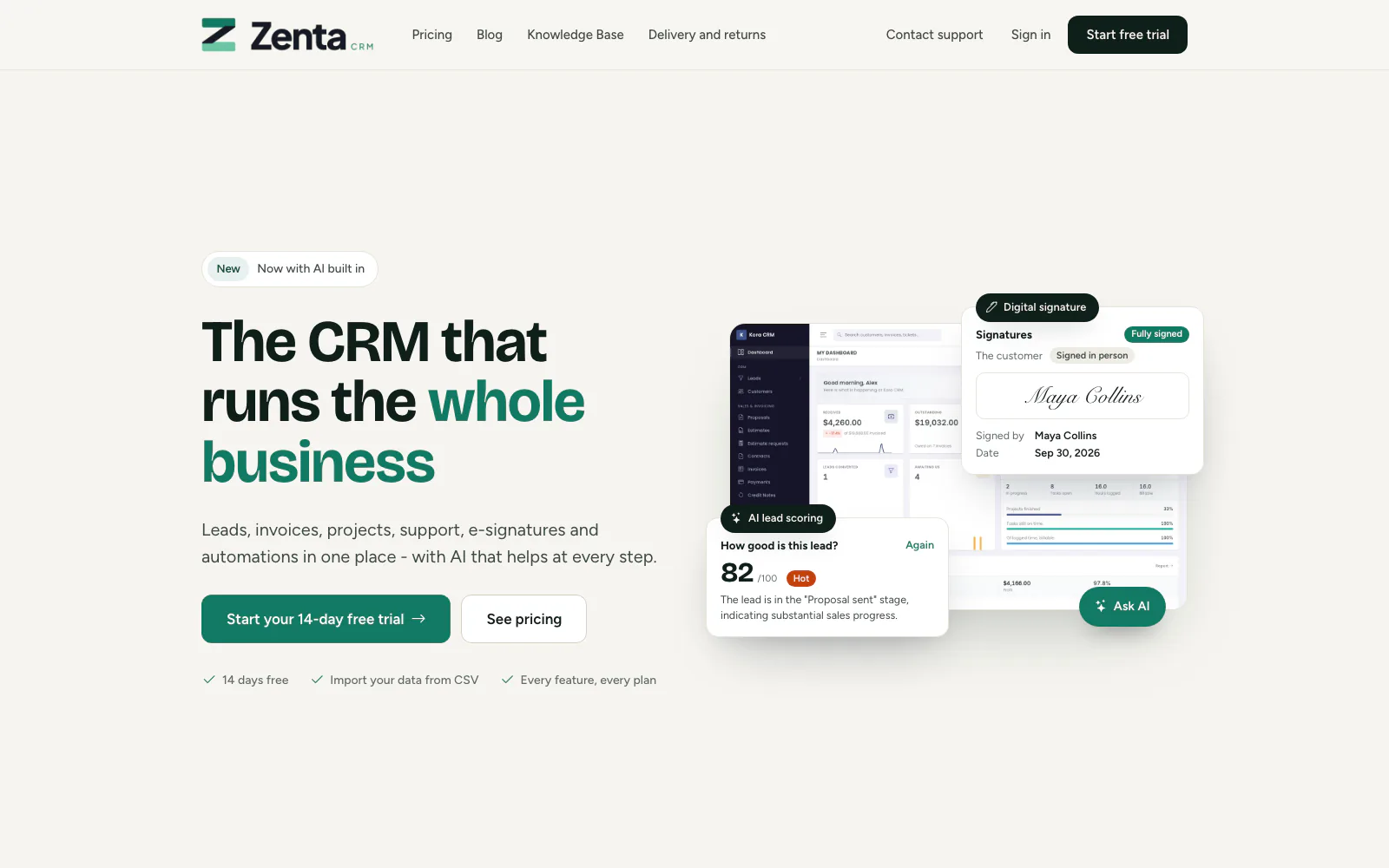 The public front page every workspace gets, and can rebuild from the website editor.
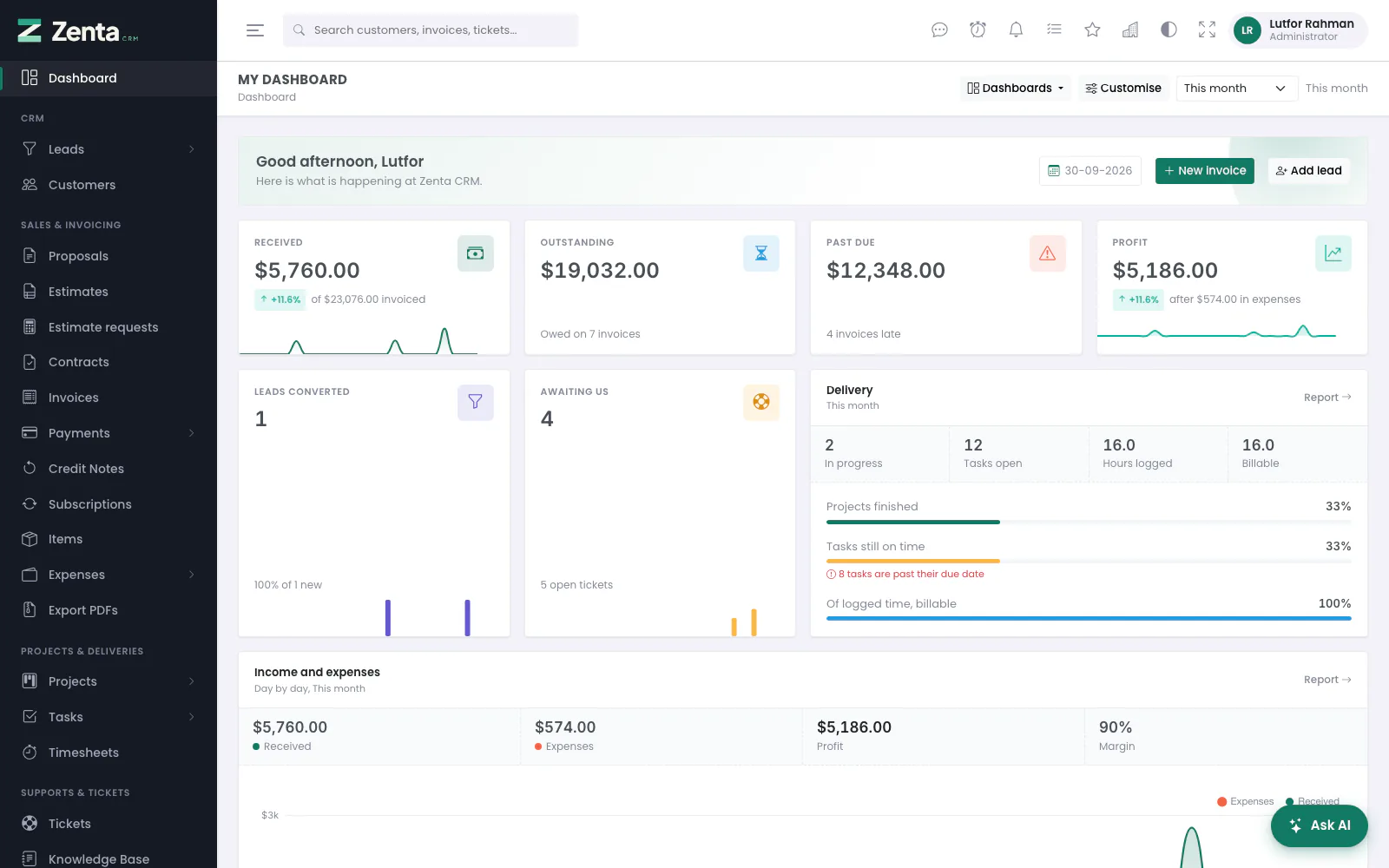 The dashboard: how the business is doing, and what you personally have to do.
Once it is running, the two pages worth reading next are Automations and AI assistance. Everything else is a CRM; those two are what stop it being a filing cabinet.
What is included
| Area | What it does |
|---|---|
| CRM | Leads with a pipeline and conversion to customers, customer records with contacts, notes and a portal login. |
| Sales | Estimates, proposals, contracts, invoices, recurring subscriptions, payments, credit notes and expenses. |
| Delivery | Projects with milestones, a task board, checklists, and timers that produce billable hours. |
| Support | A ticket queue fed by the web or by email, saved replies, private notes, and a public knowledge base. |
| Reporting | Sales, invoice, payment, income, leads, delivery and support reports with charts, CSV and Excel export and printing — and named dashboards you arrange yourself. |
| Customer portal | Your customers sign in to see invoices, accept estimates, follow projects and raise support requests. |
| Marketing | Mailing lists with sign-up forms, and campaigns by email, text message or WhatsApp through your own accounts — scheduled, paced, pausable, with delivery figures. See Marketing campaigns. |
| SaaS billing | Optional. Workspaces subscribe through your own Stripe account, or you place them on a plan by hand for bank transfers. |
| Payments | Customers settle an invoice from a link, through your own Stripe account. Card details never touch your server. |
| Automations | Rules that reach across the whole system: an unpaid invoice opens a task, an accepted estimate starts the work, a quiet lead gets flagged. |
| AI assistance | Lead scoring, ticket triage, reply drafting and summaries — with your own provider and key, or a model on your own machine. Off until you turn it on. |
| Platform | A REST API, outgoing webhooks, and an optional SaaS mode with plans and workspaces. |
What you need
| Requirement | Version |
|---|---|
| PHP | 8.3 or newer |
| MySQL | 8.0 or newer, or MariaDB 10.4 or newer |
| Web server | Apache or Nginx, with mod_rewrite or the equivalent |
| PHP extensions | pdo, pdo_mysql, mbstring, openssl, tokenizer, json, ctype, fileinfo, xml, curl, dom, gd |
The installer checks all of this for you and says exactly what is missing, so you do not have to work it out from an error message.
How it is built
Zenta CRM is a Laravel application. The interface is server-rendered HTML with jQuery and AJAX — there is no build step, no Node, and nothing to compile. What you upload is what runs.
Every library it uses is bundled in public/assets/vendor/. Nothing is
fetched from a CDN at runtime, so the application works on an internal network with
no outside access, and it will not break when somebody else's CDN does.
Where things are
| Folder | What is in it |
|---|---|
app/ | The application: models, controllers, and the support classes that hold the business rules. |
config/ | Behaviour you can change without touching code — see Customising. |
resources/views/ | Every screen, as Blade templates. |
public/ | The only folder on the web. The .htaccess beside it sends every visit here, so there is no document root to change. |
storage/ | Logs, caches and sessions. Must be writable. |
public/uploads/ | Files people upload. Must be writable. |