Items
The item library: the things you sell, priced once and added to any quote, invoice or subscription in one pick.
The item library
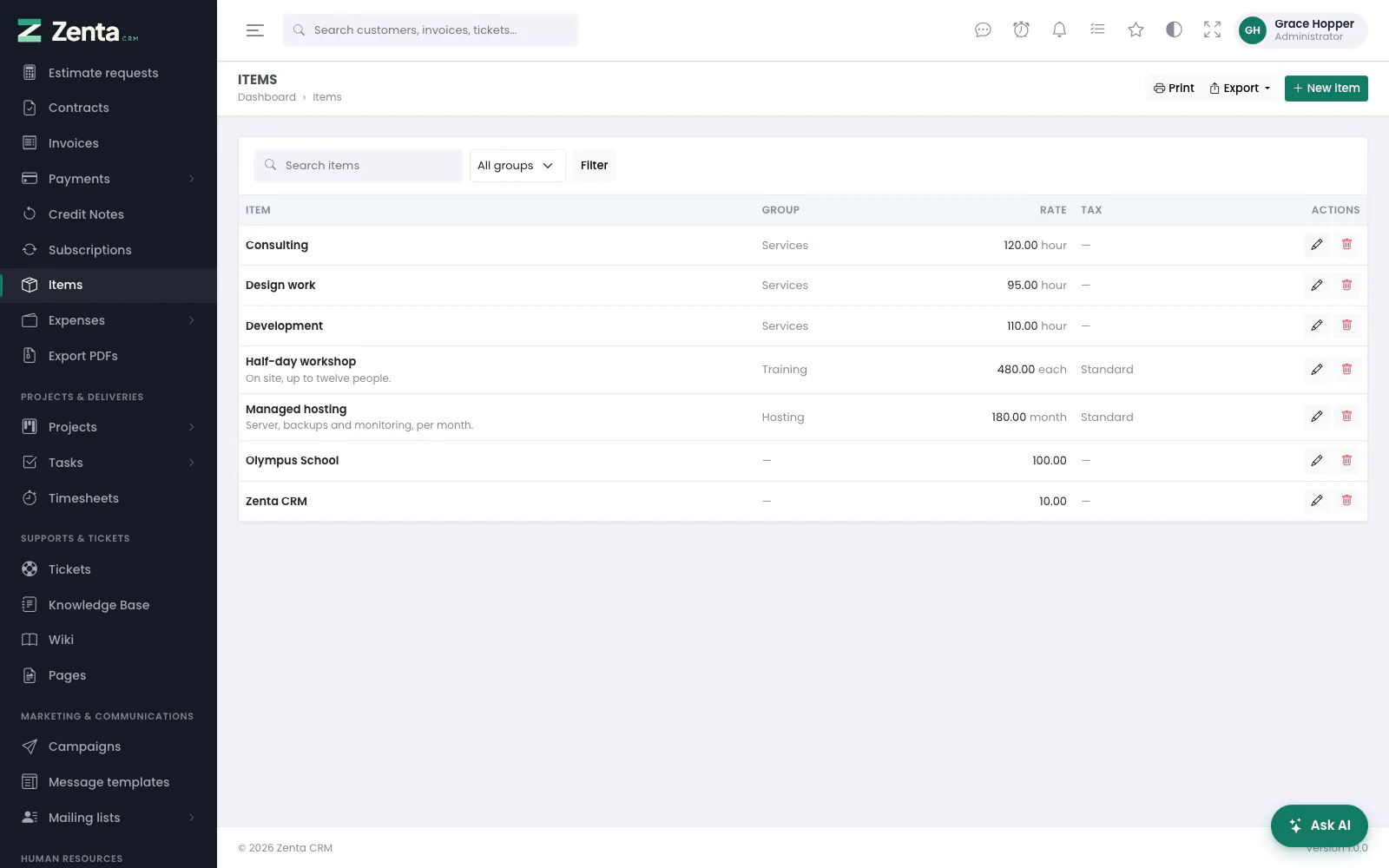 The item library: what you sell, how it is filed, and what it costs.
Sales & invoicing → Items. The services and products you sell, each with a price and its taxes, so a line on a document is one pick rather than retyping the same description and rate every month. The list shows each Item (with the start of its description), its Group, its Rate and unit, and its default Tax, plus any custom fields for items marked to show in lists.
Search items matches the name or description, and All groups narrows to one group; press Filter. Print and Export take the list as filtered (see Exporting); a whole catalogue can be brought in from a spreadsheet (see Importing). Seeing the list needs the permission to view items.
Adding an item
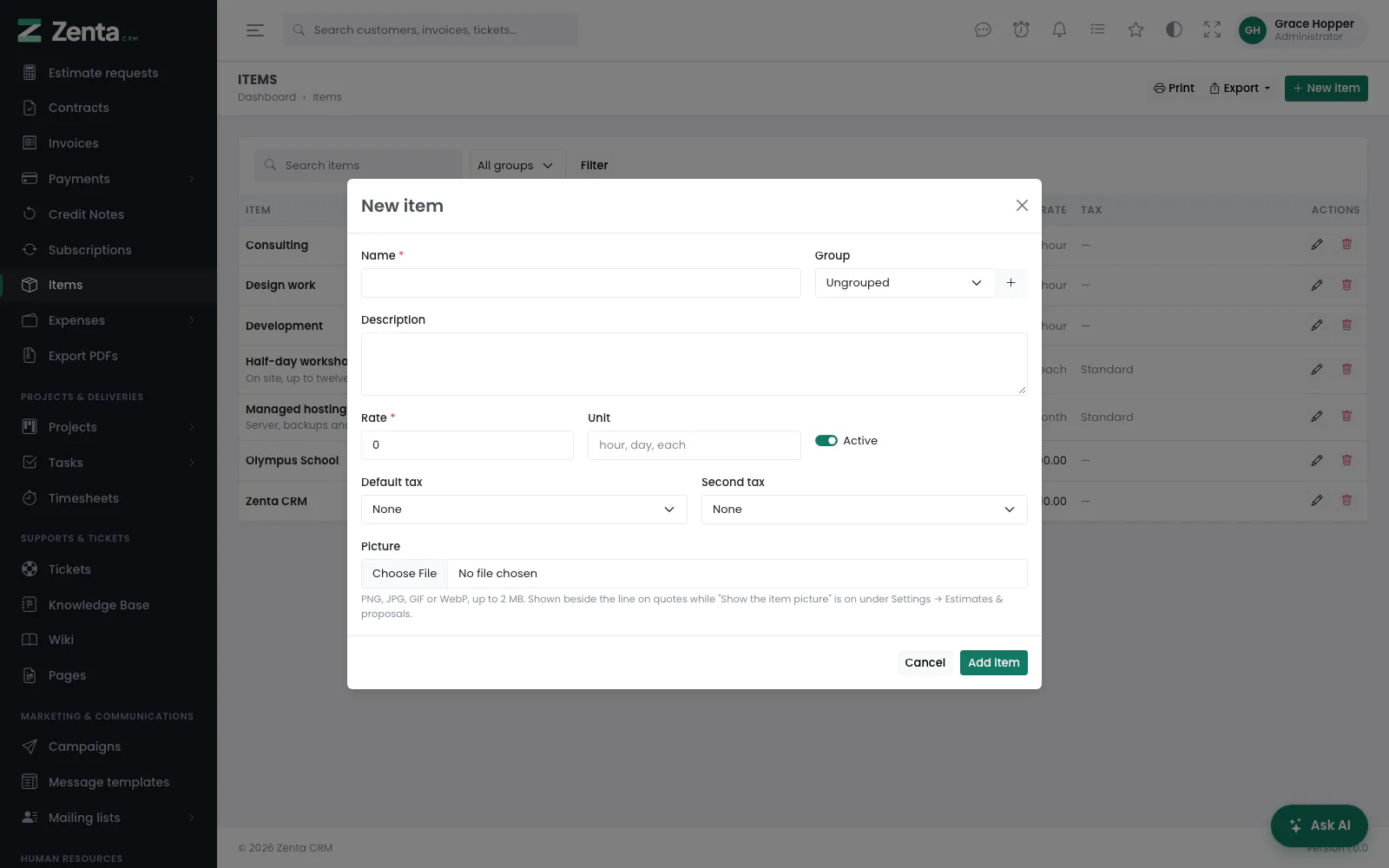 New item: its name, price, taxes and picture.
New item opens the form in a pop-up (the permission to create items).
| Field | What it does |
|---|---|
| Name | Required. Becomes the line's description when the item is added to a document. |
| Group | Where it is filed, or Ungrouped. The beside it adds a new group without leaving the form (for those who may change settings). |
| Description | Becomes the line's longer description. |
| Rate | Required, zero or more. The price of one. |
| Unit | What one is: hour, day, each. Shown beside the rate in the list. |
| Active | Off keeps the item but stops offering it when adding lines. |
| Default tax / Second tax | The taxes a line starts with when the item is added. Active tax rates only. |
| Picture | PNG, JPG, GIF or WebP, up to 2 MB. Shown beside the line on quotes while Show the item picture beside each line is on under Settings → Estimates & proposals. |
Custom fields you have added to items appear on the form too. Press Add item.
Using items on a document
On an invoice, estimate, proposal, credit note or subscription, Add from item library... above the lines lists every active item. Choosing one adds a line with its name, description, rate and taxes, and a quantity of 1 — all of which you can then change on that document alone. The line keeps its own copy of everything, so changing or removing the item later never changes a document already written.
Editing and removing an item
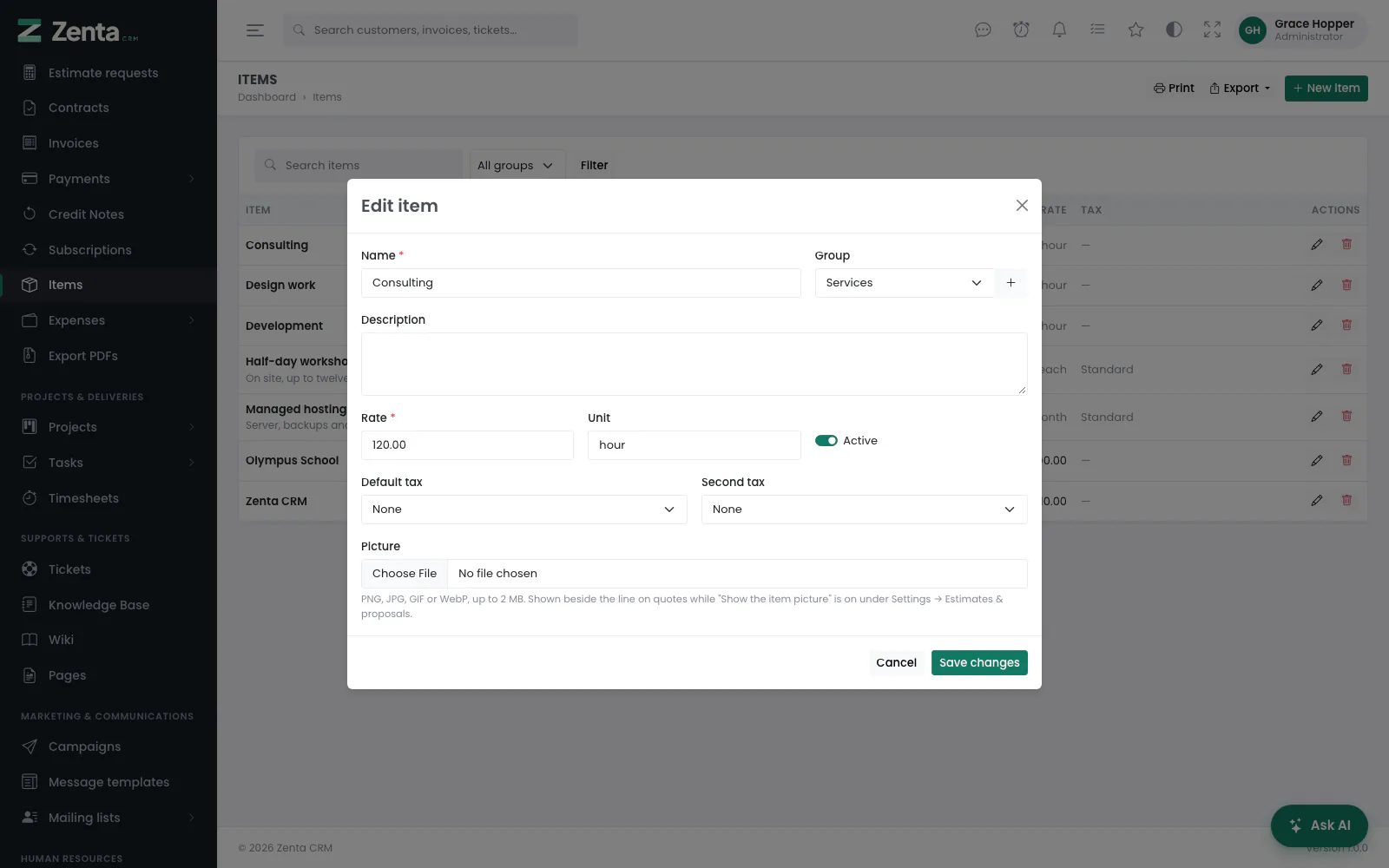 Editing an item.
The on a row opens the same form; press Save changes. Once an item has a picture, a thumbnail appears above the file box with Remove it to take the picture away; choosing a new file replaces it. Editing needs the permission to edit items.
The removes an item after a confirmation (Remove …? Documents already issued keep their own copy.). It needs the permission to delete items. To stop offering an item you may want again, switch Active off instead.
Item groups
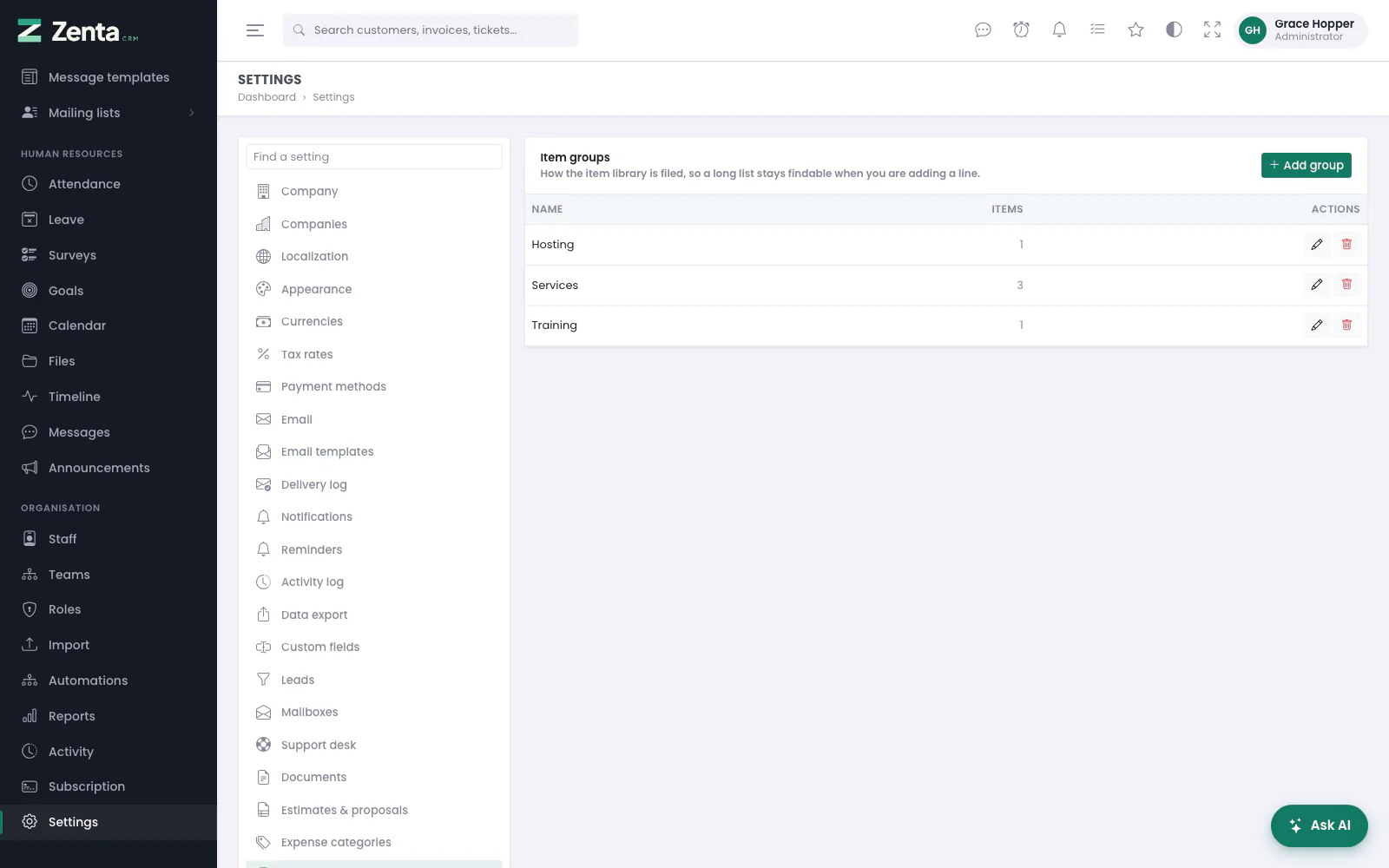 Settings, Item groups: how the library is filed.
Settings → Item groups. How the item library is filed, so a long list stays findable. The list shows each group's Name and how many Items are in it. Seeing it needs the permission to view settings; changing it, the permission to edit them.
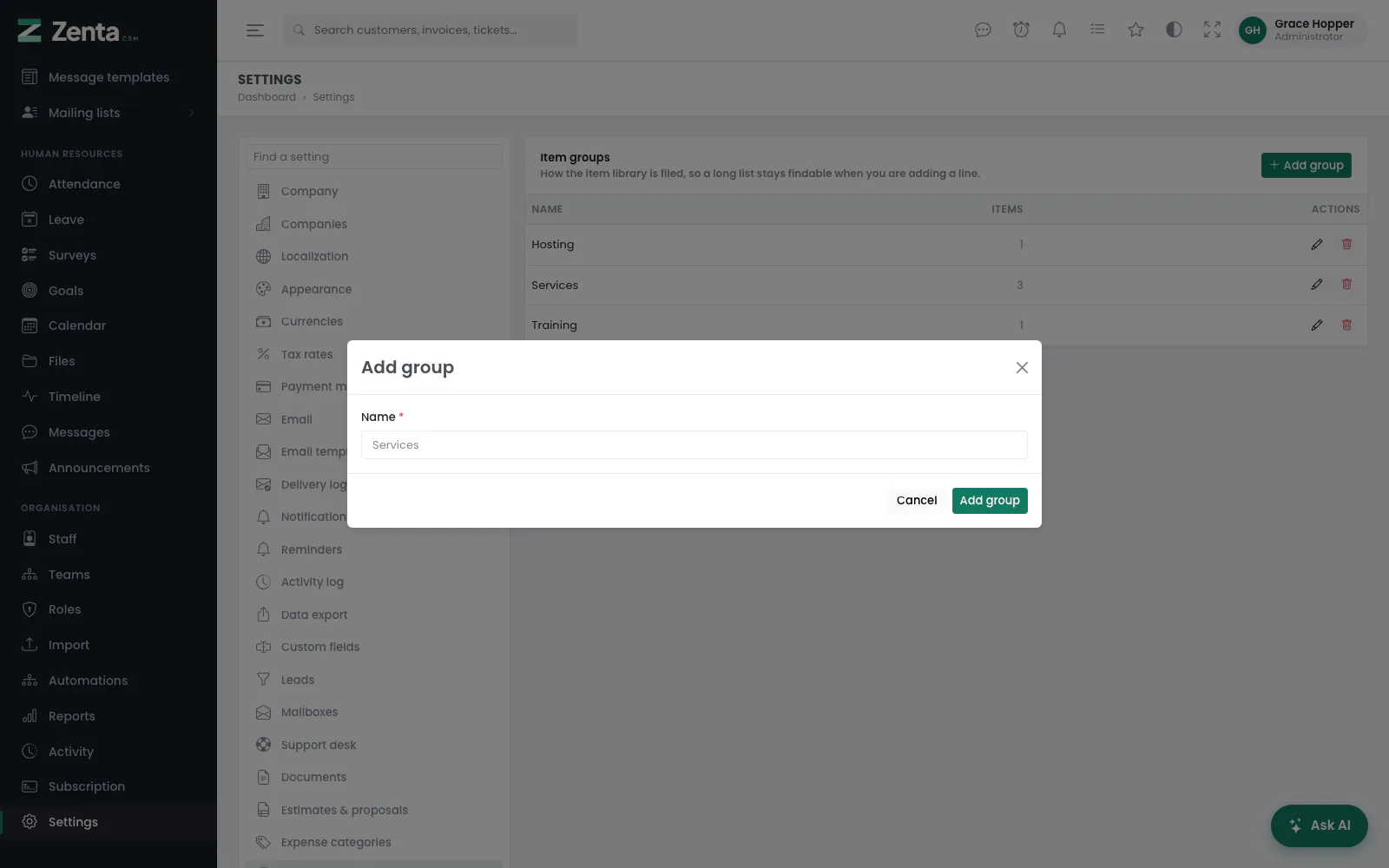 Adding a group.
Add group, or the on a row, opens a pop-up with one field, Name (required, unique, up to 100 characters). Press Add group or Save changes.
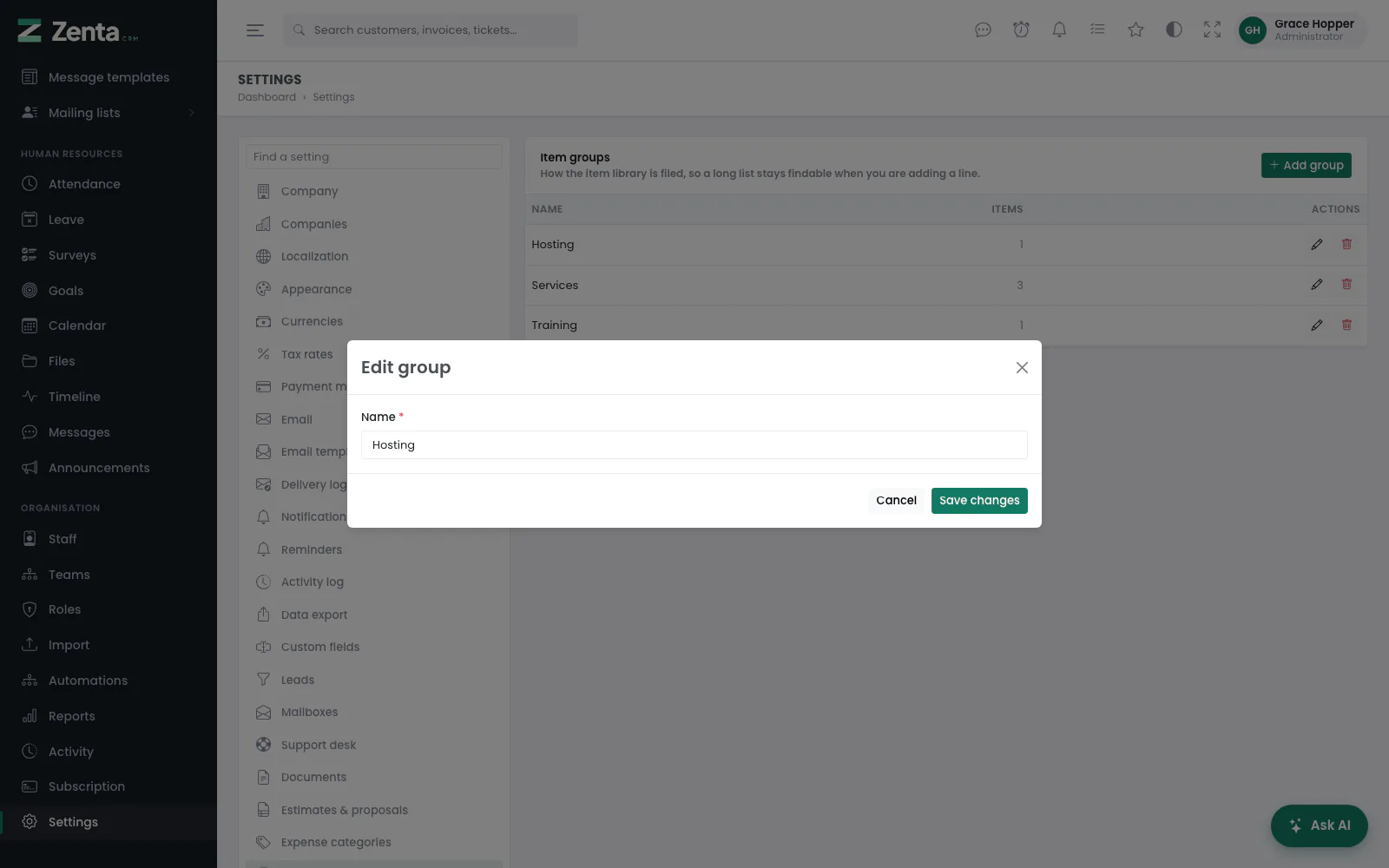 Renaming a group.
The removes a group after a confirmation — but only once it is empty. While items are filed under it the answer is Items are filed under this group. Move them first, then remove it.
Addresses on this page
For reference and for anyone scripting against the panel. Everything here needs somebody signed in to the workspace whose role allows it; anybody else is refused.
| Method | Address | What it does |
|---|---|---|
GET | admin/items | The item library, with q and group filters. |
GET | admin/items/create | The new-item form (a pop-up). |
POST | admin/items | Adds an item, with its picture. |
GET | admin/items/{item}/edit | The edit form (a pop-up). |
PUT | admin/items/{item} | Saves an item; replaces or removes its picture. |
DELETE | admin/items/{item} | Removes an item. Documents keep their own copy of its lines. |
GET | admin/settings/item-groups | The item groups. |
GET | admin/settings/item-groups/create | The add-group form (a pop-up). |
POST | admin/settings/item-groups | Adds a group. |
GET | admin/settings/item-groups/{itemGroup}/edit | The edit form (a pop-up). |
PUT | admin/settings/item-groups/{itemGroup} | Renames a group. |
DELETE | admin/settings/item-groups/{itemGroup} | Removes an empty group. |