Projects, tasks and time
Doing the work, and making sure it reaches the invoice.
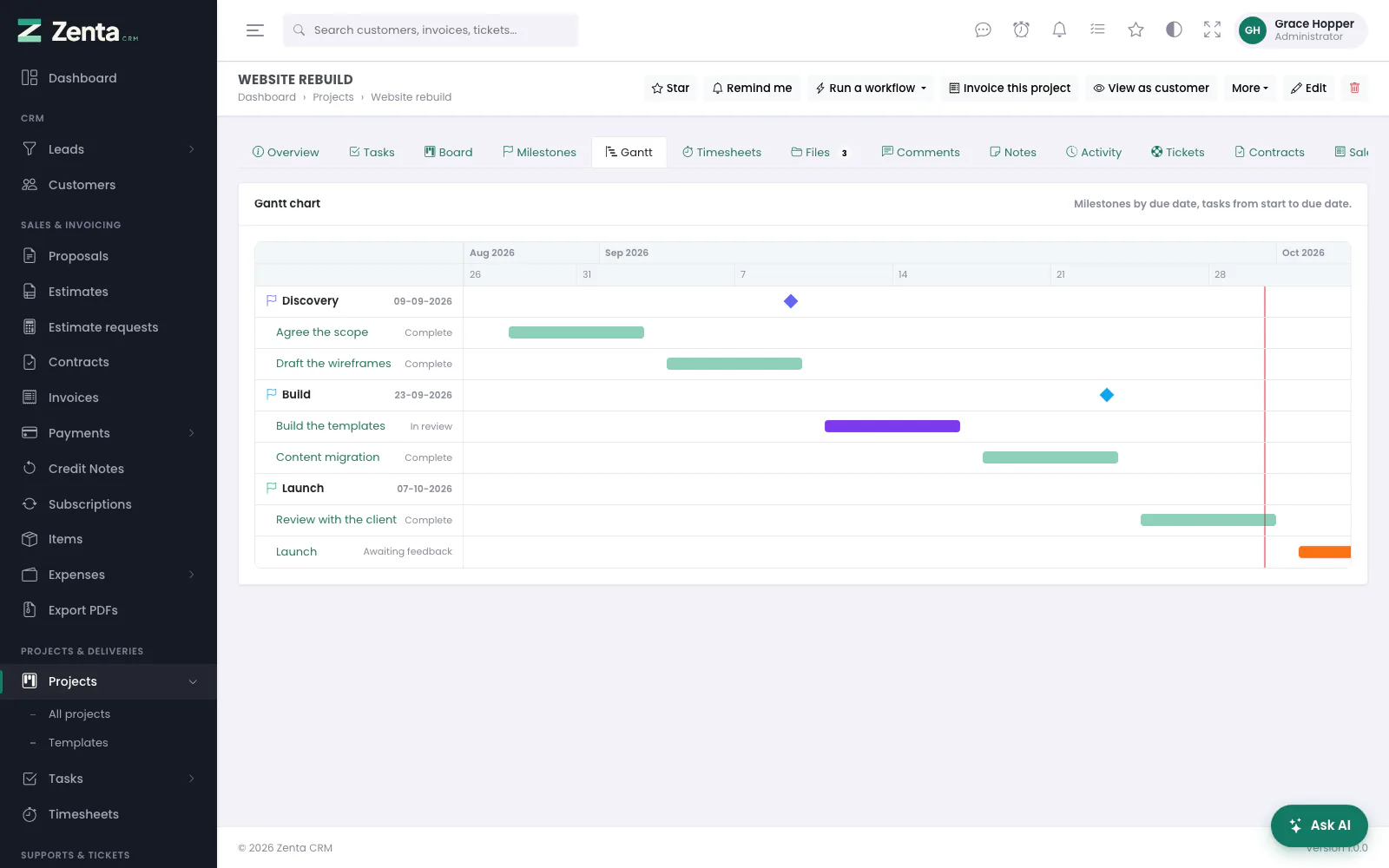 A project's Gantt chart: milestones as diamonds, each task from its start to its due date, today marked.
The Projects & Deliveries part of the menu holds three things that work together: Projects, Tasks and Timesheets. This page is how they fit together; each has a page of its own with every screen and button:
- Projects — the project list and form, every tab of the project page, milestones, files, comments, feedback, invoicing, duplicating, templates, exporting and categories.
- Tasks — the list, board and timeline, the task page with its checklist, dependencies and comments, repeating tasks, priorities, checklist templates and your own to-do list.
- Time tracking — timers and their rules, logging time by hand, the timesheet list, rounding and the reminders about work.
Projects
A project usually belongs to a customer — or is an internal project with none — and holds milestones, tasks, time, files and a discussion. Its progress can be typed in, or derived from the share of its tasks that are complete — set per project, so a manually entered figure is never overwritten.
Billing type
| Type | Means |
|---|---|
| Fixed price | One agreed price for the whole project. |
| Project hours | One rate applied to all logged billable time. |
| Task hours | Each task carries its own rate, falling back to the project's. |
The billing type decides what Invoice this project puts on the invoice — see Invoicing a project.
What the customer sees
What a customer's contacts see of a project in the portal follows the workspace's defaults, or the project's own switches when it is given some; a task is only ever shown when the task itself is marked visible to the customer. All of it is in Projects in the portal, and View as customer on the project page shows you the result.
Tasks
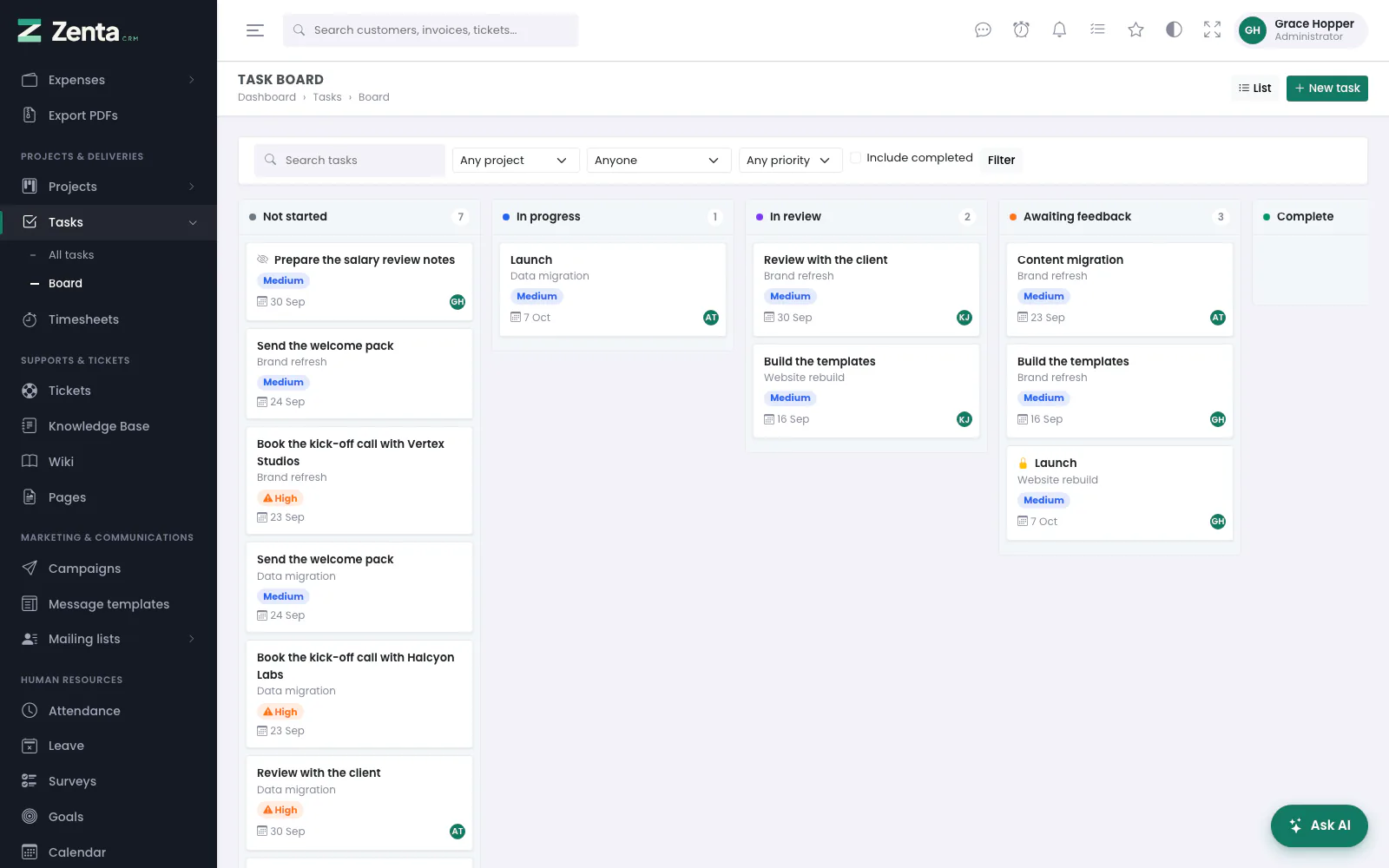 The task board: one column per status. Drag a card to change its status.
Tasks can belong to a project, hang off another record — a lead, a customer, an invoice, a contract — or stand alone. They have assignees, followers, checklists, comments, a cover picture and a priority, and can be worked as a list, a board or a timeline.
Task statuses are yours to define, and one or more can be marked as completed. That flag is what drives project progress, the "not finished" figures, and whether a task that waits for another may be finished yet. A task can repeat, wait for other tasks, and be private to the people on it; see Tasks.
Time
Two ways to record time:
- A timer — start it on a task, stop it when you are done.
- By hand — Log time, for work you did away from the screen, as a start and an end or as a total for a day.
A person runs one timer at a time unless the workspace allows more, and starting a second one stops the first by default; you can change that to refuse instead, under Settings → Time tracking. A timer left running past the configured limit is stopped automatically and closed at the limit, so a timer started on Friday afternoon does not become a seventy-hour entry on Monday.
From the work to the invoice
- Log the time against the project's tasks, ticking Billable for work the customer pays for.
- Check what is waiting — the project's Timesheets tab shows what can still be billed, and the Timesheets list filters to Billable, not yet invoiced across every project.
- Invoice this project on the project page shows what the invoice would say and creates it as a draft for the customer.
Every time entry that goes onto the invoice is marked with it, so the same hour is never billed twice, and invoiced time can no longer be deleted: that would leave an invoice nobody can explain.